
I. Functions of an operating system
An operating system (OS) is a set of software that controls the computer’s hardware resources and provides services for computer programs. It is a very important part of a computer system since it acts as an intermediary between software applications and the computer hardware.

In a computer system, a user would interact with an application that has been designed to meet the user’s need. This application would require an operating system in order to function. This operating system would allow the application to interact with the hardware of the computer system.
The main services that an operating system provides are listed below:
> Peripheral communication
> Memory management
> Resource monitoring and multitasking
> Networking
> Disk access and data management
> Security

II. Software application
Application software are programs designed for the end-user that enable the completion of various tasks in order to increase productivity. The main software applications that may be installed on such computer system include:
> Word processors
> Spreadsheets
> Database management systems
> Web browsers
> Email
> Computer Aided Design (CAD)
> Graphic processing software
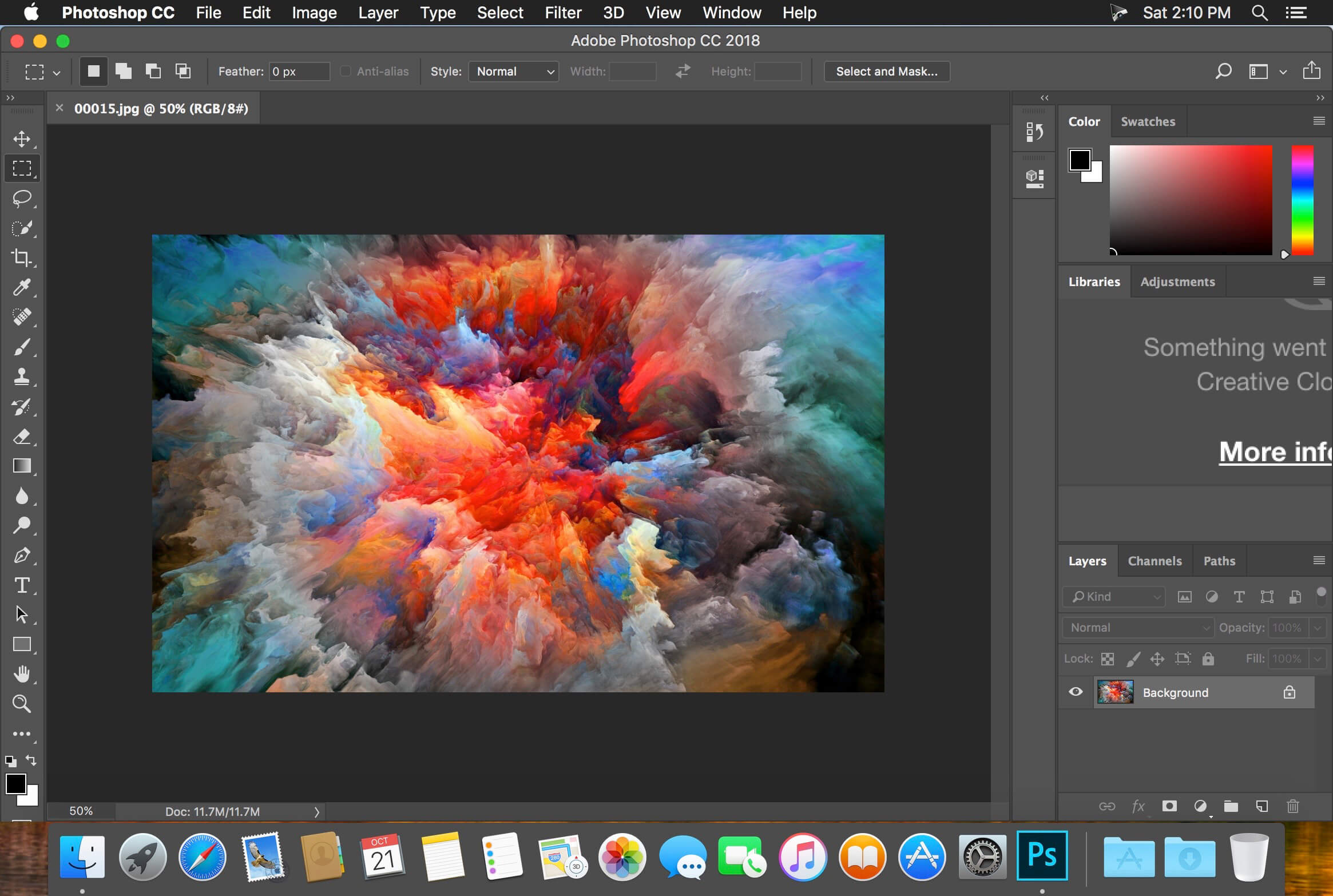
(from https://insmac.org/macosx/2451-adobe-Photoshop-cc-2018.html)
III. Common features of applications
Software applications typically include a graphical user interface (GUI) to allow the user to interact with them in a number of ways. A GUI includes components such as graphical icons and visual indicators, as well as toolbars, menus, and dialogue boxes. These allow the interaction between the user and the software application to be performed more smoothly.
> Toolbar
A toolbar is a GUI element on which buttons, icons, menus, or other input or output elements are placed.
> Menu
A menu is a GUI element that displays a list of commands that can be chosen by the user to perform various functions.
> Dialogue
A dialogue box is a GUI element that is used to communicate information to the user and allow him/her to respond by choosing an option form a list of specific choices.

Software applications have improved greatly over the years. Early software applications operated with commands that had to be typed in, which we call command line interfaces (CLIs). Later ones took advantage of GUIs.

 Cili7@blog.com